Play Training
How to Submit to Billing
Number of Guide Steps: 8
By navigating the Submit to Billing workflow with diligence and confirming as final, Sales teams play a crucial role in ensuring the seamless progression of campaigns from ideation to execution.
This final confirmation heralds the beginning of the campaign's journey through the intricacies of Sales Enablement, and into launch, marking a significant milestone in the comprehensive Vision VX workflow.
This is the final step for sales in Submiting a Sold Order.

- 1. Open the Submit to Billing Workflow
- 2. Review Campaign Details:
- 3. Confirm All Details are Accurate:
- 4. Select New or Existing Client
- 5. Select TapClicks Requirements
- 6. Save
- 7. Confirm as Final
- 8. Note the Campaign Status Change
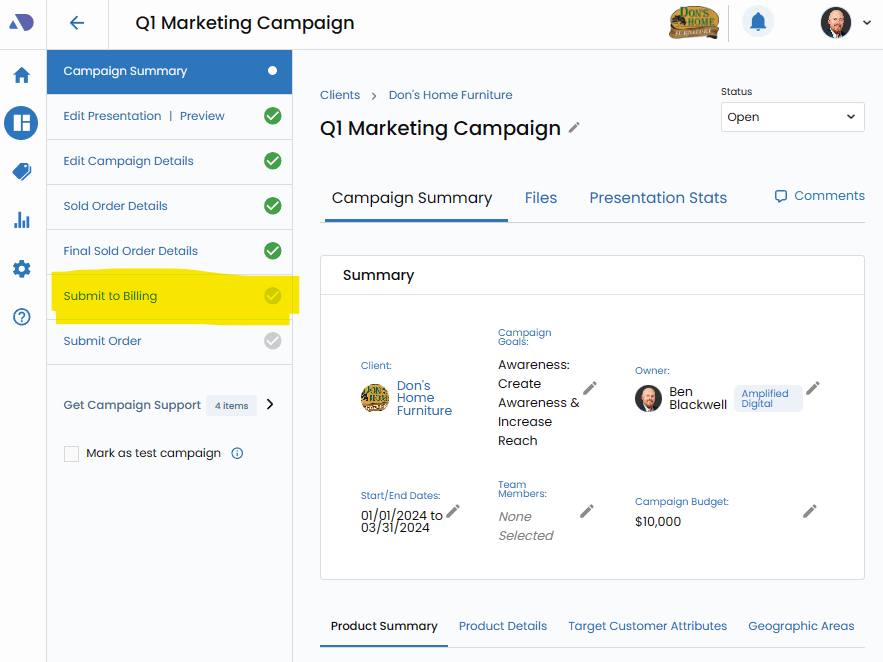
Open the Submit to Billing Workflow.
Initiate the process by accessing the dedicated Submit to Billing workflow. This serves as the gateway for finalizing and submitting the order for further processing.
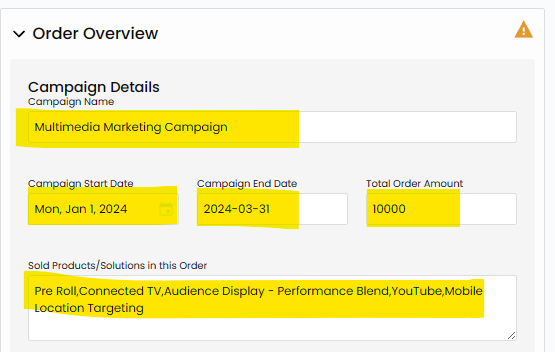
Review Campaign Details:.
Thoroughly review all campaign details presented within the workflow. This includes a comprehensive examination of product specifics, budget allocations, campaign dates, client information, and any additional configurations made throughout the campaign creation process.
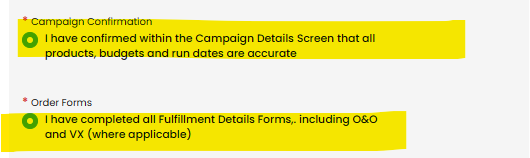
Confirm All Details are Accurate:.
Verify the accuracy of each detail within the campaign. This step is crucial to ensure that the order is aligned with the client's expectations, campaign goals, and the strategic vision outlined during the creation process.
Click the checkmark next to each confirmation.
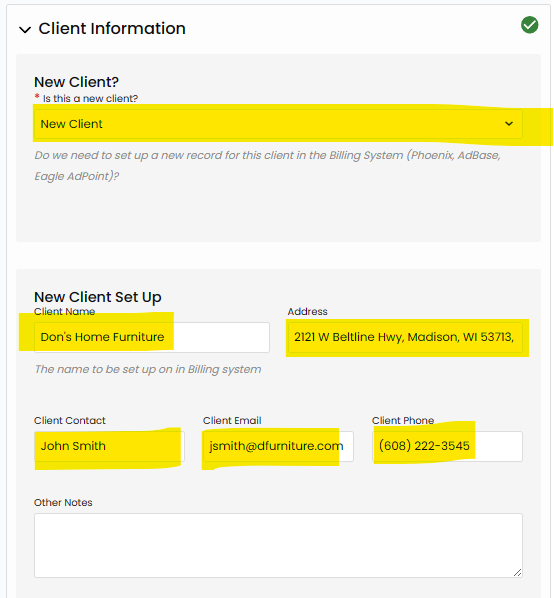
Select New or Existing Client.
Indicate whether the client associated with the campaign is a new client. This distinction ensures that the billing and onboarding processes are tailored to the specific needs of new clients, if applicable.
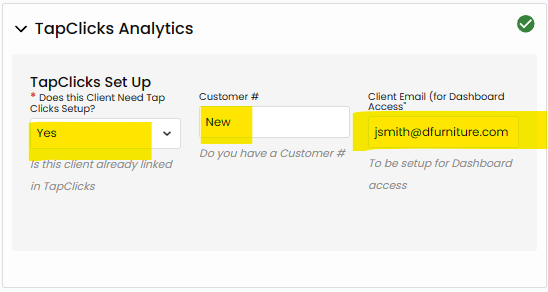
Select TapClicks Requirements.
If TapClicks integration is required for the campaign, mark this option accordingly. This step ensures that the necessary configurations and integrations are in place for comprehensive campaign tracking and reporting.
Save.
After confirming the details and making any necessary markings, save the information. This action ensures that all the reviewed details are securely stored and ready for the final confirmation.

Confirm as Final.
Confirming the submission as final is a critical step in the process. This action signifies that the order is conclusive and ready for the subsequent stages in the Sales Enablement workflow.
Once confirmed as final, certain details may become uneditable, emphasizing the importance of a thorough review.

Note the Campaign Status Change.
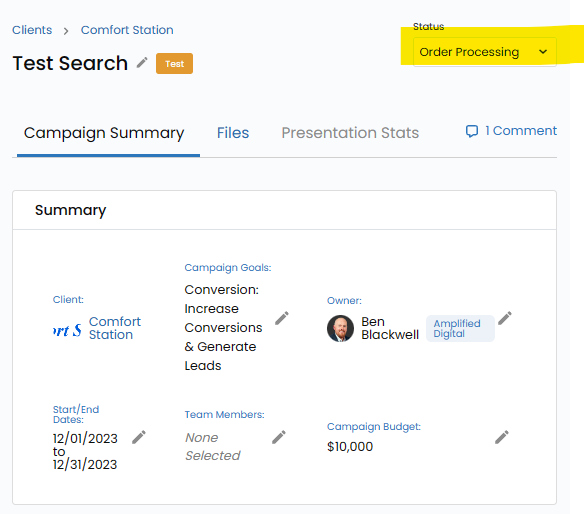
Once you Confirm as Final, the Campaign Status will change to Order Processing to inform you that it is with the Sales Enablement Team for billing and booking.
For questions related to billing and booking please contact your Sales Enablement Team.